
Options and controls
Sound, notifications, display, account, keys
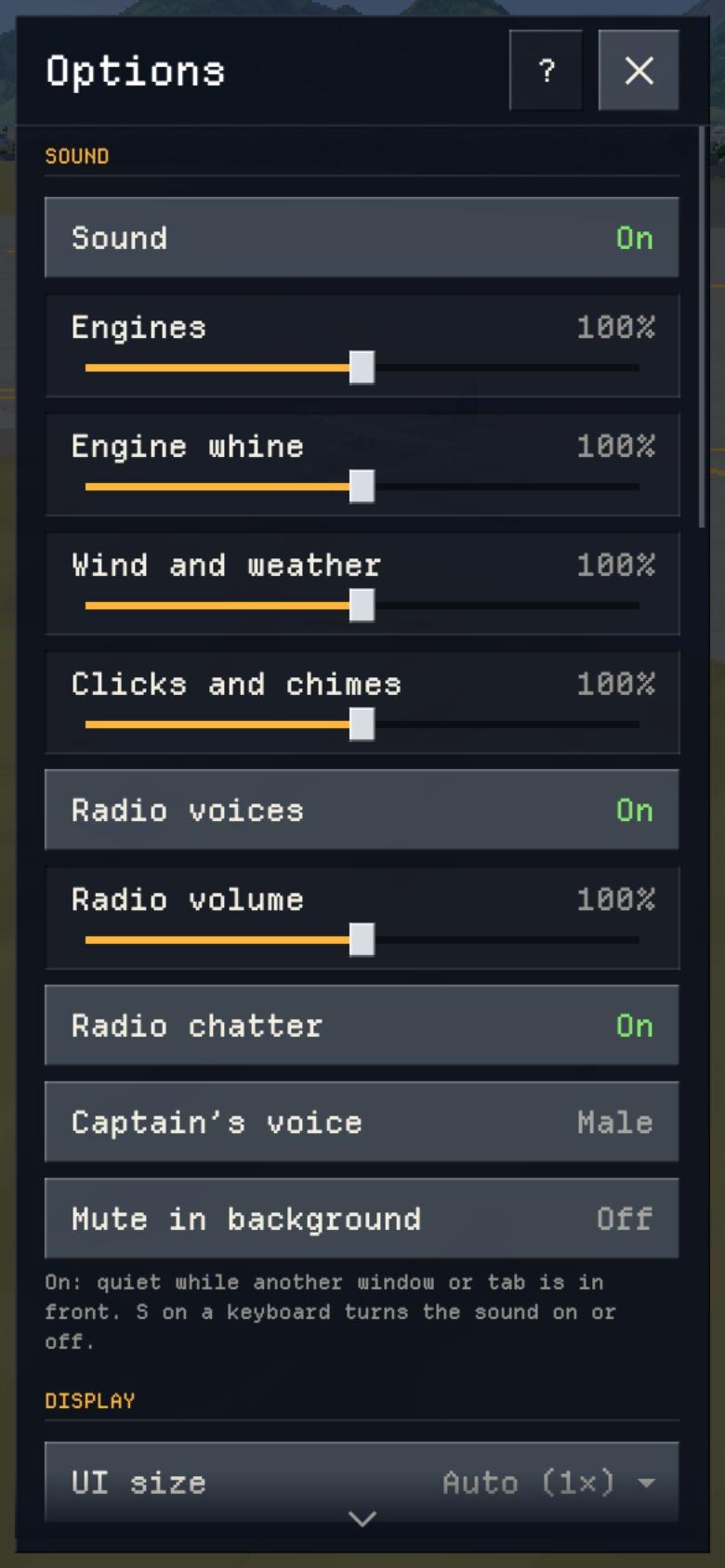
Menu › Options
Menu → Options. Display settings are kept by each device for itself.
Sound
| Sound | On or off (S on a keyboard, anywhere). Off quiets the radio too. With it on, a volume each for Engines, Engine whine (turn it down if high tones bother you), Wind and weather, Clicks and chimes, and the radio: Off to 200%, the mark at 100%. |
|---|---|
| Radio voices | The radio calls spoken aloud. On at first: a one-time download of about 110 MB, which waits for Wi-Fi on mobile data unless you tap it. |
| Radio chatter | The other traffic on your frequency. |
| Captain’s voice | Male or female. |
| Mute in background | Quiet while another window or tab is in front. |
Notifications
| Notifications | A sight coming up, the approach and the landing, while the game is shut (the Steam app: while it’s in the background). Each device turns them on for itself. |
|---|---|
| Live Activity in flight | iPhone app: your flight on the Lock Screen and in the Dynamic Island. The Android app’s Flight in notifications does the same. |
Display
| UI size | Auto, 0.75×, 1×, 1.5× or 2×. |
|---|---|
| Temperature | °F or °C. |
| Full screen | Steam app only (F11 or Alt+Enter too). |
| Dynamic resolution | On: the world is drawn coarser while your device can’t keep up. Off keeps it sharp, even if slower. |
| Frame rate | 60 (at first on a computer) or 30 (at first on a phone or tablet). 60 is smoother but uses more battery. |
| Night look | Moonlit (at first) keeps the ground and water readable at night; Dark is the plain, darker night. |
| Low graphics | For older devices: a plainer ground, fewer trees and buildings, bigger pixels and half the view distance. A flight under 18 frames a second offers it once. |
| Battery saver | When low (at first), On or Off. High up in steady flight the world is drawn 15 times a second instead of 30. When low: only under 20% battery and unplugged, where the browser says (not Safari). |
| 12h visual offset | The sun, moon, stars and lights 12 hours on, to fly the far side of the world by day. Looks only: clocks, weather and night-flying credit stay real. Double tap the flight’s local time to switch it. |
| Frame rate counter | Frames a second, on screen. |
| Keep screen on in flight | Stops the screen dimming while your flight is on screen. Uses more battery. Only where the device allows it. |
Account and About
Account: your sign-in or sync code (see Sign-in and sync code), Get the app (in a browser), Log out and Delete this career. About: the terms, the privacy policy, where the world comes from, What’s new, and Check for updates.
In a browser, the game works best from your Home Screen: Options → Get the app shows how.
Keyboard
| Enter | Fly (at an airport) |
|---|---|
| C | Change camera |
| P | Photo (Space or Enter takes it) |
| M | Map (in flight) |
| S | Sound on or off |
| Esc | Close what’s on top, or open the menu in flight |
Tip: Turn your phone sideways for a wider view, the middle of the screen clear.
See also
- NotificationsSights, approach, landed
- Cameras and cockpitThe director, fly-bys, chase, orbit, cockpit
- Sign-in and sync codeYour career on any device
- The real worldWhere the world comes from