Cameras and cockpit
The director, fly-bys, chase, orbit, cockpit
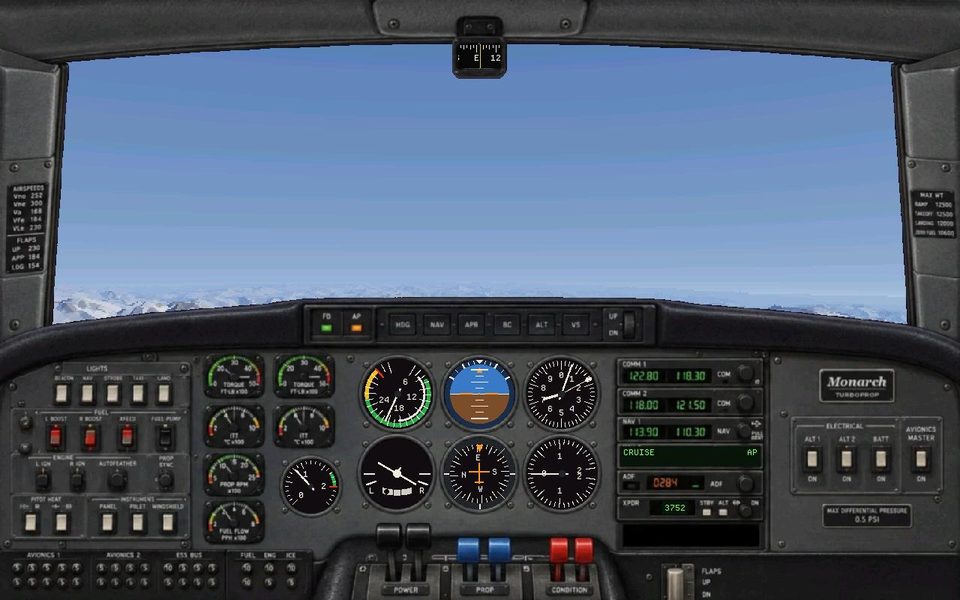
The Monarch’s cockpit over the Alps
The camera button (its word says which view is on) opens a menu of views above it, in two columns; tap one to switch. The menu stays open until you tap the camera button again, on every flight. On a keyboard, C steps through Auto, Fly by, Tail, Orbit, Cockpit and Window.
| Auto (AUTO) | The director cuts between shots for each phase: off the wing and tail, alongside, a spotter on the ground, a fly-by, a drone, now and then the cockpit or a window seat |
|---|---|
| Fly by (FLYBY) | Only the cameras standing in the world as the plane comes past: one on its way ahead, each pass the same few seconds at any speed, one on the ground below (not while it climbs away), and a spotter by the runway for the take-off roll and the landing. The chase fills in while none can (time sped up, or nowhere open to stand) |
| Tail (TAIL) | Chasing from behind. Pinch or scroll to zoom right out |
| Orbit (ORBT) | Circling the plane |
| Wing (WING) | Out on the wingtip, looking along the wing |
| Side (SIDE) | Alongside, level with the plane, drifting a little |
| Bird (BIRD) | High above and behind, looking down on the plane |
| Cockpit (CKPT) | The cockpit, with live gauges, in planes that have one |
| Window (SEAT) | A passenger’s window seat, in planes with three or more seats |
| FREE | Drag the view to look round (not in the cockpit or window seat). Pick a view in the menu to hand the camera back |
Tip: A camera standing in the world cuts away if a hill, tree or building hides the plane.
- Pinch (or the mouse wheel) to zoom, in every shot but the cockpit. It works when you’re watching another pilot too.
- At the window seat, tap the window to cross the aisle, and swipe down it to pull the blind (up to raise it). At night the cabin lights are on. The director cuts to it now and then.
- Many cockpits, the jets’ and the newer turboprops’, have a moving-map screen: tap it to zoom, in step with the minimap.
- Your next flight starts with the camera you left the last one on, even after closing the game.
- Parked at an airport, drag the scene to walk round your plane.
See also
- The flight screenButtons and readouts
- PhotosPhoto mode, and the passengers’ photos of sights