
Free flights
Fly anywhere, with stops (and a job along)
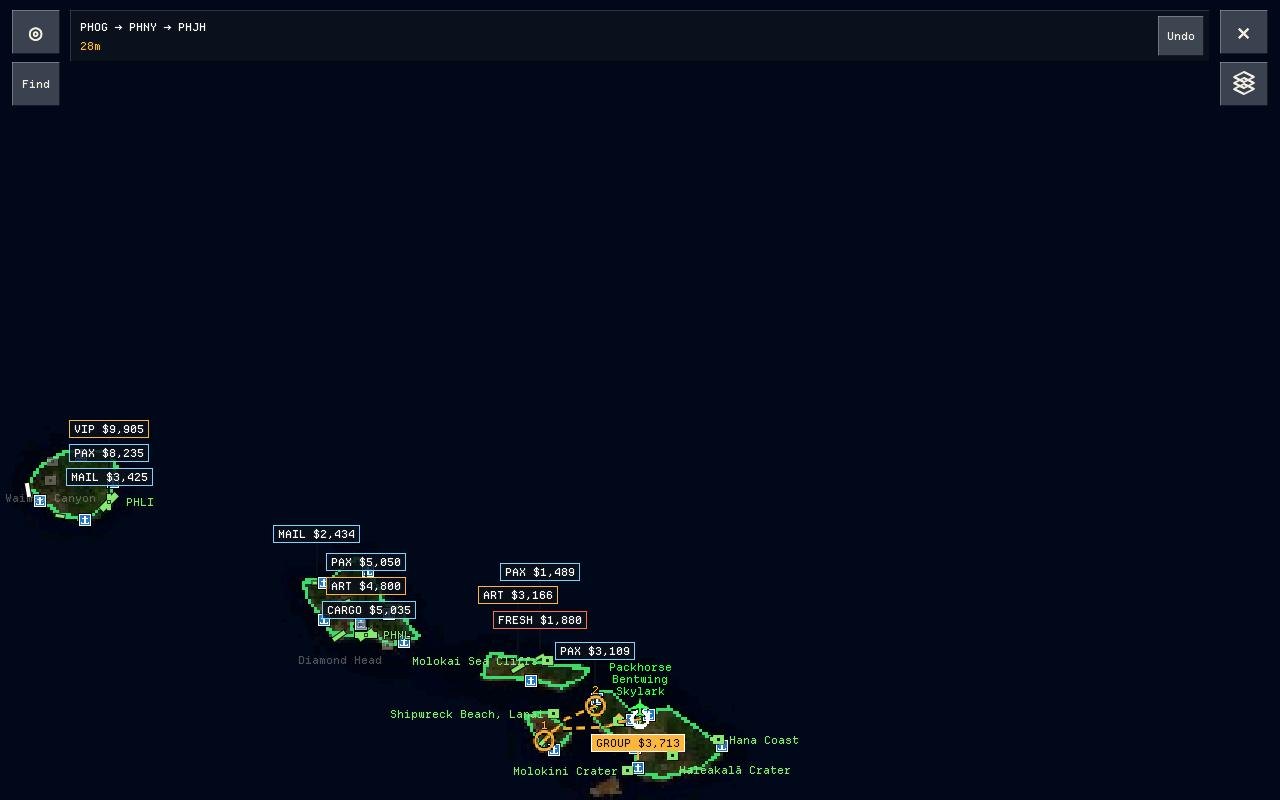
No job you want? With no job picked, the board’s Fly button says Free flight. It opens the map: pick any airport in your plane’s range (the circle), or your own for a local flight round the field.
- A free flight pays nothing, and you pay the fuel and maintenance.
- It still earns passport stamps, explorer’s bonuses and achievements.
- It’s how you move your plane to where the work is.
Stops on the way
Tap an airport, then + Stop, and pick the next from there (the range circle moves with you). Up to 20 stops; the last one you pick ends the trip, and it can be where you started. Undo drops the last stop. Each leg must be in range of the airport before it, with runway enough.
At each stop the plane lands, and about 3 seconds later it’s lined up for the next takeoff. Each landing is settled as it happens (fuel, maintenance, any new stamp), and the last landing’s card lists the stops. Turning back ends the trip at the airport that leg left from.
A job along the way
A route can carry one job from the board, delivered at the stop that’s its airport. Pick the job and tap + Stop beside Fly (on the map, + Stop beside Fly it), then pick the rest of the route. It’s paid when the plane lands there; land anywhere else first and it isn’t delivered. A medevac’s clock still runs from takeoff.
Only plain deliveries can ride along (passengers, cargo, charters and the like): not tours, searches, surveys, fires, crop dusting, banner towing, route legs or photo flights. Passengers hoping to see a sight on the way are flown straight there, at a direct flight’s pay.
See also
- The mapAirports, pilots, jobs, weather
- PassportStamps and the explorer’s bonus
- JumpsAnywhere in the world, at once
- Planes parked elsewhereOne plane at a time, jumps and ferries