
Planes parked elsewhere
One plane at a time, jumps and ferries
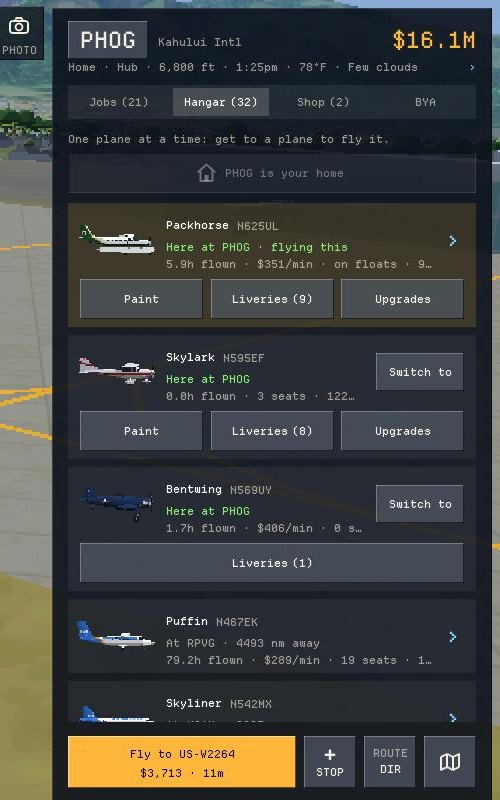
The Hangar tab: the planes here, and those parked elsewhere
You fly one plane at a time, and each plane stays where it lands. The Hangar lists them all, with how far away they are. To fly one that’s parked somewhere else:
- Fly there in the plane you have: a job going that way, or a free flight.
- Jump: on the plane’s page (tap it in the Hangar), tap Jump, then “Me to …” (1 jump) or “The … to …” to bring it to you (its own jump cost).
- A Base Jump, to one of your company’s bases with supplies (see Bases and supplies).
- Have it ferried home (below).
Ferry home
Tap Ferry home on a plane’s page and a hired pilot flies it to your home airport, direct, at any range. It costs 2× the fuel and maintenance of a free flight there and takes 2× as long; in the Pilots Club, the same as flying it there yourself. The page shows the cost and time before you confirm.
- One plane at a time, and not the one you’re with.
- Your home must suit it: a long enough runway, water for floats, a pad for a helicopter.
- On the way it’s off the map, and the Hangar shows Ferrying home with the time left.
- Cancel ferry on its page puts it back where it was and refunds the whole fee.
To move your home airport, see Your pilot.
See also
- JumpsAnywhere in the world, at once
- Buying and sellingThe shop, stock, selling back
- Your pilotCallsign and home airport
- Bases and suppliesGates, company work, Base Jumps