
The Career screen
Your logbook, album and more
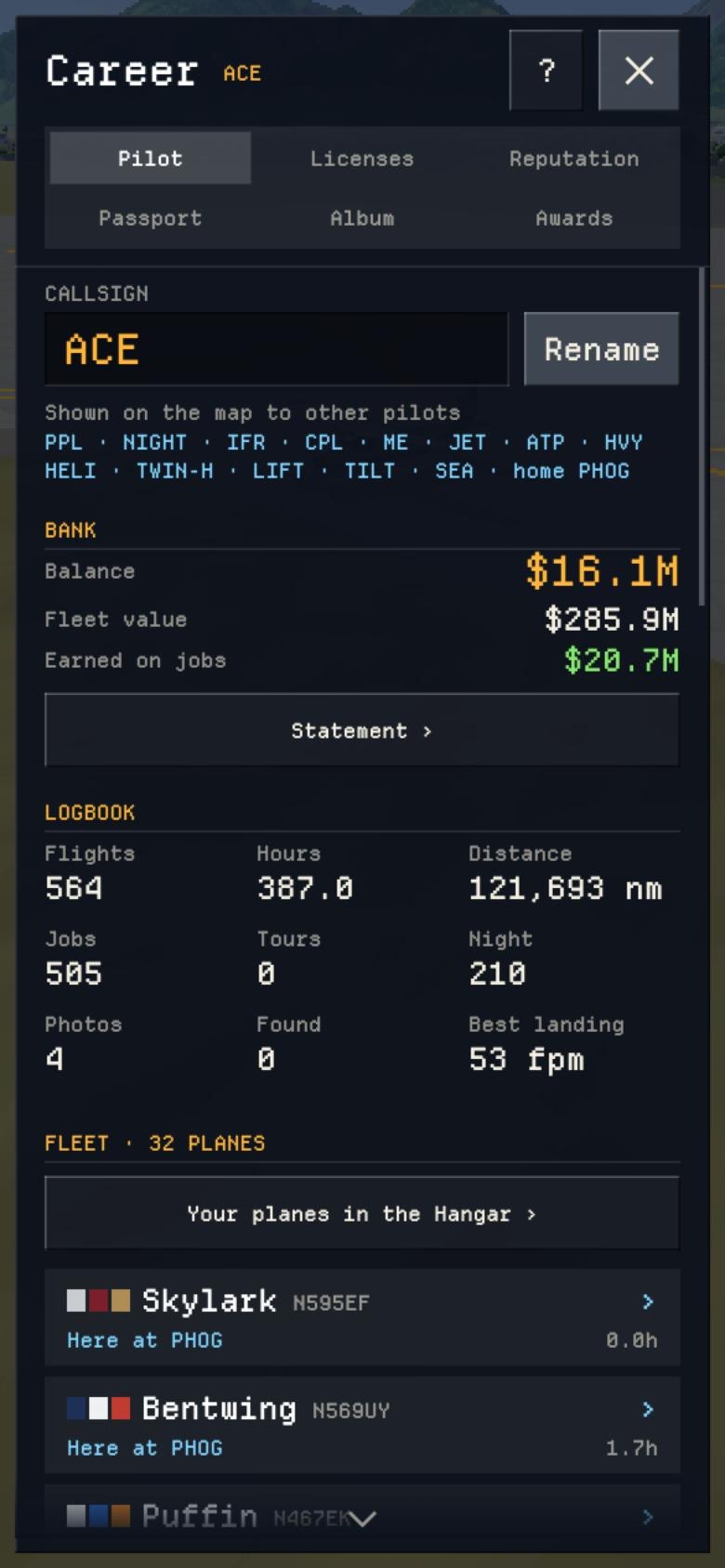
The Career screen’s Pilot tab
The Career button at the top left of the airport screen (or Menu → Career) opens your career, in six tabs:
| Pilot | Call sign, bank, logbook, landmarks you’re patron of, your planes |
|---|---|
| Licenses | Checkrides, and what each needs |
| Reputation | Your skills in each kind of work |
| Passport | Airports and countries landed in |
| Album | Every photo you’ve taken on that device (the newest 150) |
| Awards | Achievements, earned and to come |
The logbook counts your flights, hours, distance, jobs, tours, night landings, passengers’ photos, search parties found and your softest touchdown.
Bank → Statement shows what came in and went out over the last 24 hours or 7 days, by kind (jobs and bonuses, fuel, maintenance, fees, planes, checkrides and more), then each entry, newest first. Tap a landing to see its result card again.
See also
- Licenses and ratingsCheckrides and what they open
- ReputationIn each kind of work, paying more
- PassportStamps and the explorer’s bonus
- Achievements101 awards and what they pay
- Sign-in and sync codeYour career on any device